


Atlassian is rolling out Rovo, a new AI teammate that’s supposed to act as a central brain for all your company’s information. The big idea is to tear down those annoying information silos and help you find answers without having to jump between a dozen different tabs. The real power behind this promise comes from a feature set called Rovo Chat Actions / Plugins.
But what does that actually mean in practice?
In this guide, we'll cut through the marketing-speak and give you a straight-up overview of what Rovo can and can't do. We'll break down what these actions and plugins are, how your team can use them, and where Rovo’s focus on its own ecosystem might actually slow you down. While Rovo looks promising for teams living entirely in the Atlassian universe, it's a good idea to understand its limitations before you go all-in.
Understanding the Atlassian Rovo suite
Before we get into the nitty-gritty, it helps to know that "Rovo" isn't just a single tool. It’s a group of connected AI features, and knowing who's who makes it easier to see how the actions and plugins fit into the bigger picture.
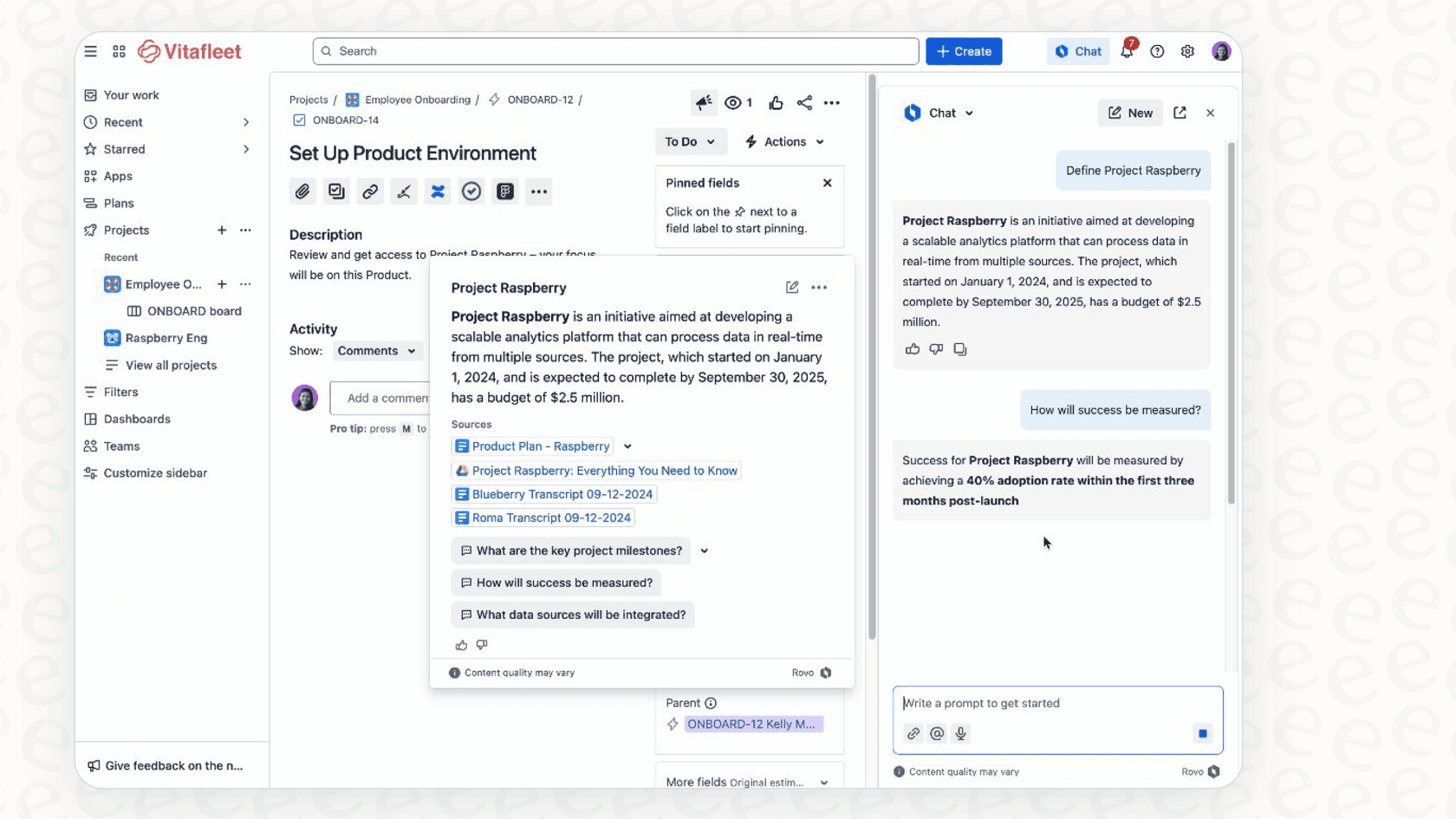
Rovo Chat: The conversational interface
Think of Rovo Chat as the front door. It’s the chat window you’ll see inside Atlassian products like Jira and Confluence, and it also comes as a browser extension. When you want to ask a question or tell the AI to do something, this is probably where you'll do it. Atlassian's current docs name the building blocks "skills", and Chat respects each user's permissions when it runs one.
Rovo Agents: The task specialists
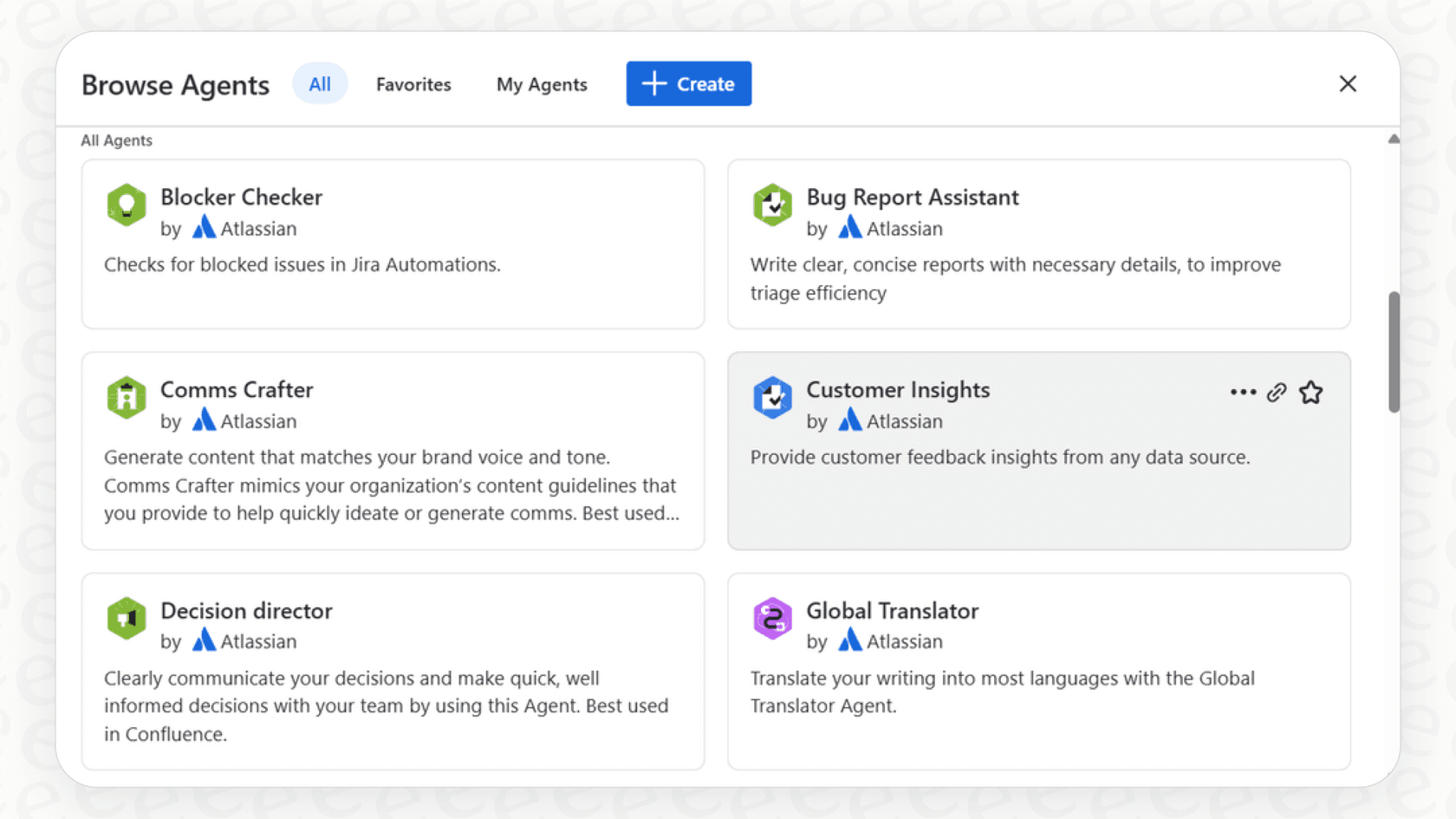
Agents are basically specialized AI assistants built to handle specific jobs. You can use Atlassian’s ready-made agents (like one that drafts release notes) or build your own from scratch. These agents are the ones that actually use the plugins to find information and the actions to get tasks done.
Rovo Studio: The agent builder
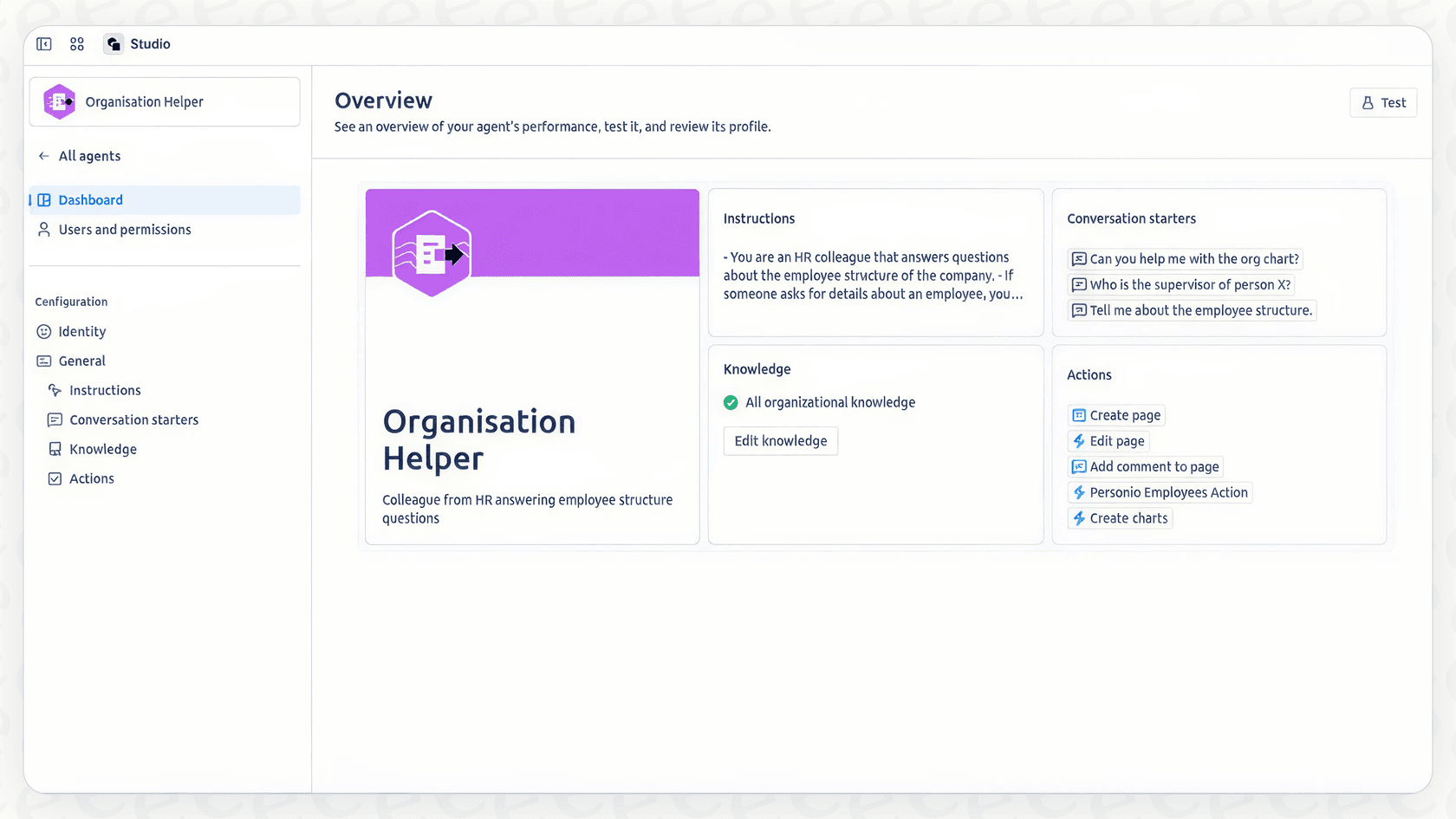
Rovo Studio is the workshop where you can build and tweak your own agents. It’s a no-code/low-code setup that lets your team decide what an agent should do, what information it can access, and which actions it has permission to take.
A deep dive into Rovo Chat Actions / Plugins
So, what's the actual difference between an "action" and a "plugin"? Atlassian's documentation now groups both under "Rovo Chat capabilities" and calls them skills: what Chat (or an agent) uses to read data or to do something with its answer, like posting a comment or publishing a Confluence page. This guide keeps the older action/plugin split because it is how most people still search for them.
-
Plugins are how Rovo reads, searches, and understands your information. When you ask Rovo to find a specific Confluence page or check a Google Doc, it’s using a plugin to go and grab that data.
-
Actions are what Rovo does with that information. Once a plugin has fetched what you need, an action lets you create or update something. Think creating a Jira ticket, sending a Slack message, or adding a comment to a page.
Without these, Rovo would pretty much just be a fancy search bar. With them, it becomes an assistant that can actually do things for you.
To give you a clearer idea, here are some of the main Rovo Chat Actions / Plugins you can use:
| Category | Name | Plugin or Action | Description |
|---|---|---|---|
| Atlassian (Jira) | Create work item in Jira | Action | Makes a new Jira work item from a prompt; one at a time, no subtasks. |
| Transition work item | Action | Changes a work item's status (e.g., from "To Do" to "In Progress"). | |
| Assign work item | Action | Changes the assignee on a work item. | |
| Delete work items | Action | Deletes up to 20 work items, with an extra confirmation step. | |
| Comment on work item | Action | Adds a comment to a Jira work item for you. | |
| Jira JQL | Plugin | Finds Jira work items using a JQL query for more specific searches. | |
| Atlassian (Confluence) | Create page in Confluence | Action | Drafts and publishes a new page in a Confluence space. |
| Edit Confluence page | Action | Adds new content to the bottom of a page that already exists. | |
| Page search | Plugin | Finds Confluence pages using different search filters. | |
| Third-Party Tools | Send Slack message | Action | Posts a message to a Slack channel or person from Rovo Chat. |
| Create Google Doc | Action | Creates a brand new Google Doc. | |
| Create Google Calendar event | Action | Creates an event in Google Calendar. | |
| Send email via Gmail or Outlook | Action | Sends an email from your Gmail or Outlook account. | |
| Send MS Teams message | Action | Sends a message to a channel, group, or person in Microsoft Teams. | |
| Content read | Plugin | Reads content from Atlassian links and certain third-party URLs (Teams, SharePoint, Slack, Google Docs). |
How different teams use Rovo Chat Actions / Plugins
Things get interesting when you start combining these building blocks to handle everyday work. Here’s how a few different teams might put them to use.
Use cases for IT and support teams
Picture this: a user reports a bug in that one super-busy Slack channel. Instead of manually copying and pasting everything over to Jira, a support agent can just call on Rovo Chat. The AI can use the "Content read" plugin to get the context from the conversation, the "Create work item in Jira" action to log a new ticket with all the details, and then the "Send Slack message" action to drop the new ticket number back into the channel. It’s a slick way to turn messy conversations into organized work, as long as you have the exact pre-built actions you need. Atlassian notes that Chat's ability to read content from URLs is currently limited to a handful of connected apps.
graph TD A[User reports bug in Slack] --> B{Rovo Chat is activated}; B --> C[Content read plugin analyzes conversation]; C --> D[Create work item in Jira action logs ticket]; D --> E[Send Slack message action shares ticket number]; E --> F[Bug is logged and tracked efficiently];
Use cases for software development teams
A developer is focused on their code and needs to double-check the specs for a new feature. Using the Rovo browser extension, they can ask the AI to find the right document in Confluence with the "Page search" plugin. Once they have it, they can ask Rovo to summarize the key points and then use the "Create issue" action to make a sub-task in their Jira sprint. All of this happens without them ever needing to leave their coding environment.
Use cases for marketing and content teams
Let's say a marketing team just finished a brainstorming session and all the notes are sitting in a shared Google Doc. A team member can ask Rovo to use the "Create page in Confluence" action to turn those rough notes into a proper project brief. From there, they could use an action to assign follow-up tasks in Jira to different people, making sure nothing gets forgotten.
Key limitations of Rovo's ecosystem-first approach
While Rovo is a neat tool for teams who live and breathe Atlassian, its design comes with some real-world trade-offs. If your company uses a mix of different tools or you just want to get things done quickly, these limitations are worth thinking about.
A restrictive walled garden
Rovo is built to play best with Jira, Confluence, and Bitbucket. It can connect to some outside tools, but its best features are saved for its own products. If your company's knowledge is spread across a Zendesk help center, Notion wikis, and SharePoint folders, Rovo is probably going to have a hard time pulling all of that together for one accurate answer.
A headache to set up and roll out
Getting started with Rovo isn't as simple as flipping a switch. For one, it needs a paid Cloud plan: Atlassian lists it on Standard, Premium, and Enterprise, and it is switched on automatically for eligible sites. Then, you'll need an org admin to set up the permissions and connect your data sources. If you want to build custom agents, your team has to learn its way around Rovo Studio. There's no "get it running in five minutes" option here; it's a platform you have to commit to building on.
No way to test in the wild
You can test Rovo agents, but the platform doesn't have a built-in way to run your AI over hundreds of your historical support tickets and score the answers. That makes it hard to predict automation rates or savings before you let it loose on actual customers, so you learn a lot of it once it is live.
Credit-metered pricing
Rovo usage is metered in credits. Atlassian's usage doc says each Chat message is a billable event, a basic interaction costs 10 credits, and allowances are pooled per organization (25, 70, or 150 credits per user per month on Jira and Confluence Standard, Premium, and Enterprise). Rovo Search inside Atlassian apps is free. For teams with a lot of conversations, it is worth estimating message volume against that pool, since extra usage is on by default.
A flexible alternative for cross-platform AI automation
If Rovo's limitations are ringing a bell, it's because this is pretty common with AI tools built for just one platform. For teams that need an AI that works across all their tools, a more flexible solution like eesel AI might be a better fit. While Rovo puts AI inside Atlassian, eesel AI works like an intelligent layer that connects to your entire tech stack.
Get up and running in minutes, not months
You don't need to wait for an admin or learn a whole new platform. eesel AI is designed to be completely self-serve. You can sign up, connect your help desk like Zendesk or Freshdesk, and train an AI on your actual knowledge in just a few minutes. No mandatory demos or sales calls required to get started.
Unify all your knowledge instantly
Unlike Rovo, which is focused on Atlassian data, eesel AI connects to wherever your team's knowledge is stored, right out of the box. It works with help centers, past ticket history, macros, Google Docs, Notion, Confluence, PDFs, and more. This gives your AI the full story, which means you get more accurate and helpful responses.

Total control with a customizable workflow engine
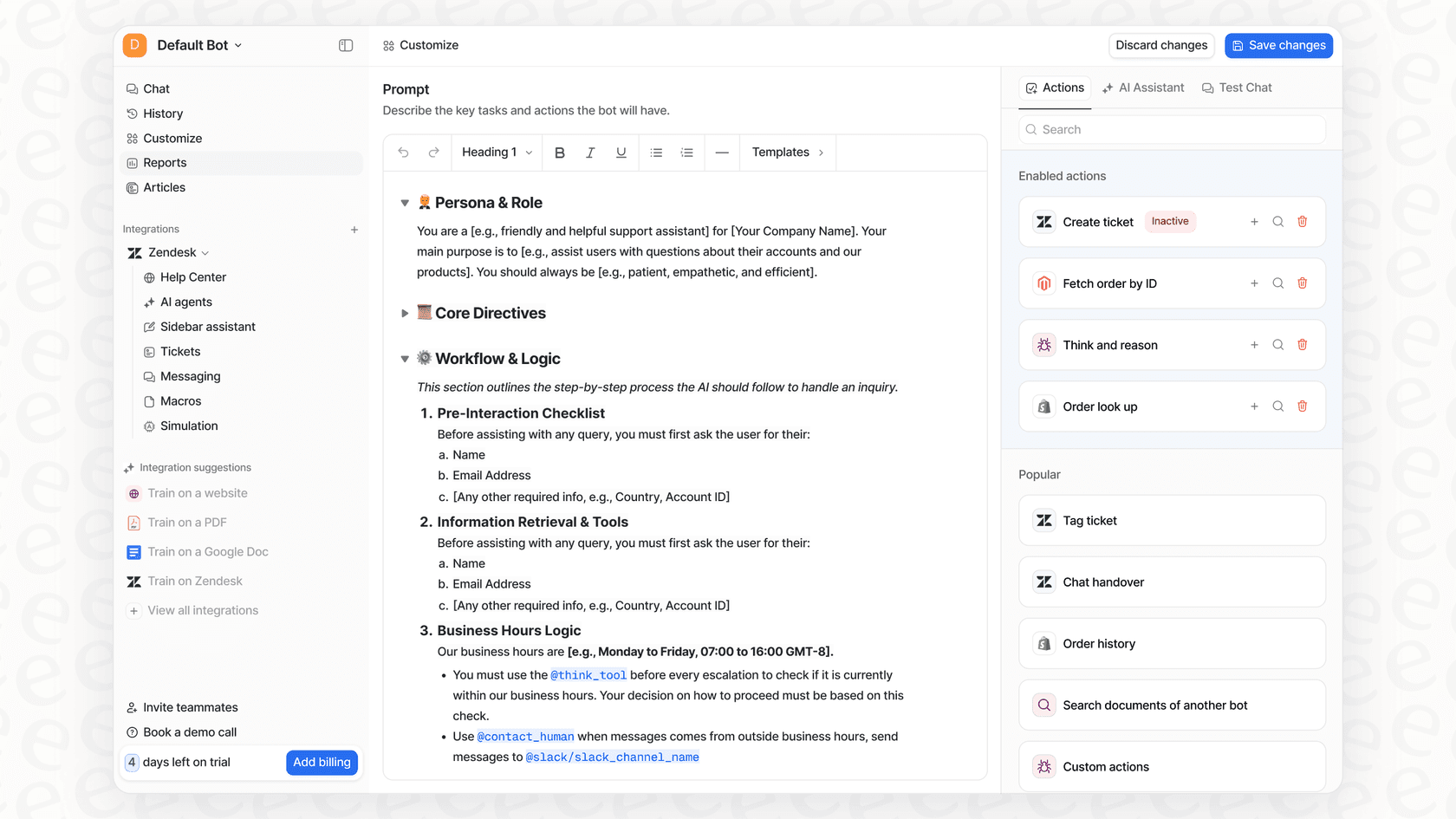
Rovo’s actions are handy, but they're also pre-set. eesel AI gives you fine-tuned control with a simple prompt editor and support for custom actions. You can define your AI's exact tone of voice, create custom API calls to look up live order info in Shopify, or build workflows that match exactly how your team works.
Test with confidence and predictable pricing
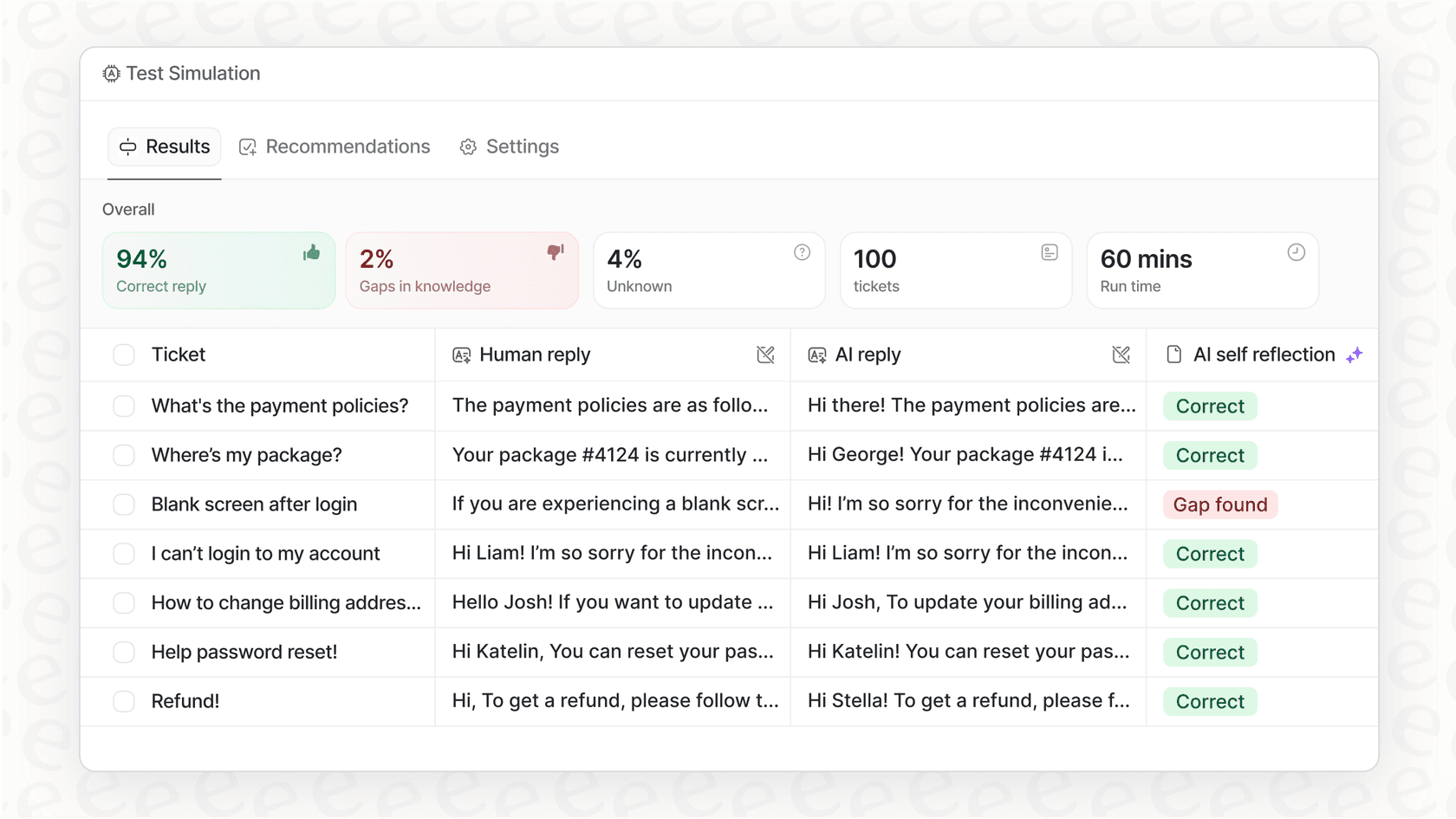
eesel AI has a simulation skill that tests your setup against hundreds of your past support tickets, scores each answer, and suggests fixes before you turn anything on for your customers. This confidence comes with transparent, fixed monthly pricing: 100 free credits with no card, then plans from $299/month for 500 credits (1 credit per ticket or chat), with no per-seat fees. Overage is optional and capped at a limit you set.
Are Rovo Chat Actions / Plugins the right tool for the job?
There's no doubt that Rovo Chat Actions / Plugins are a big step forward for teams all-in on the Atlassian suite. They offer a solid way to automate tasks and connect information within Jira, Confluence, and a few other integrated tools.
However, its focus on its own ecosystem, the involved setup process, and credit-metered usage can be drawbacks for a lot of teams. If your company knowledge isn't all neatly tucked away inside Atlassian’s world, you'll probably find it limiting.
For teams that need a flexible, powerful, and easy-to-use AI that works with their entire tech stack, eesel AI is the way to go. It’s built to connect all your tools, not just a select few, giving you the power to automate support and find knowledge wherever it lives.
Ready to see how AI can work with all your tools, not just a few? Try eesel with 100 free credits and no card, and build your first AI agent in minutes.
Frequently asked questions
What exactly are Rovo Chat Actions / Plugins within the Atlassian ecosystem?
These are the fundamental building blocks that enable Atlassian Rovo to perform tasks beyond basic search. Plugins help Rovo read, search, and understand information from various sources, while Actions allow Rovo to create or update content based on that information.
How do Rovo Chat Actions / Plugins specifically differentiate between an "Action" and a "Plugin"?
In the older wording, a Plugin lets Rovo read data, like searching a Confluence page or reading a Google Doc, and an Action is what Rovo *does* with it, such as creating a Jira work item or sending a Slack message. Atlassian's current docs call both of these skills and list them under Rovo Chat capabilities. Skills that change something typically ask the person who prompted Chat to confirm first.
Can Rovo Chat Actions / Plugins effectively integrate with a wide range of third-party tools, or are they primarily Atlassian-focused?
While Rovo Chat Actions / Plugins do support some third-party integrations (like Slack or Google Docs), their core strength and deepest functionality are reserved for Atlassian products like Jira and Confluence. Teams relying heavily on non-Atlassian tools might find this restrictive.
What are some real-world examples of how different teams might utilize Rovo Chat Actions / Plugins to streamline their work?
An IT team could use them to automatically create Jira tickets from Slack messages. Development teams might summarize Confluence specs and create sub-tasks in Jira, while marketing teams could turn Google Doc notes into Confluence pages and assign follow-up tasks.
What are the main challenges or limitations associated with using Rovo Chat Actions / Plugins in a diverse organizational environment?
Key limitations include a strong focus on the Atlassian ecosystem, an admin-led setup process, and no built-in way to score answers against your own past tickets before going live. Credit-metered usage also means the bill follows how much people chat.
Is the setup and customization process for Rovo Chat Actions / Plugins user-friendly for non-technical teams, or does it require IT involvement?
Setting up Rovo Chat Actions / Plugins typically requires an admin to configure permissions and connect data sources, and custom agents are built in Rovo Studio. It's not a "five-minute" self-serve solution and often requires a commitment to building on the platform.
How is the pricing structured for using Rovo Chat Actions / Plugins, and can teams anticipate their costs accurately?
Rovo is included on Standard, Premium and Enterprise Cloud plans and usage is metered in Rovo credits. Atlassian's usage doc says each Chat message is a billable event, and a basic interaction costs 10 credits. Per user per month, Jira and Confluence plans include 25, 70, or 150 credits (Standard, Premium, Enterprise), and the Service and Teamwork Collections include 250, 700, or 1,500. Allowances pool across the organization, so budgeting means estimating message volume.