

Let's be real: your company’s knowledge is all over the place. It's in Google Docs, deep in forgotten Slack channels, and scattered across thousands of old support tickets. Trying to find a straight answer can feel like a full-blown investigation, wasting time and leading to the same questions being asked over and over.
Atlassian’s new answer to this mess is Rovo, an AI platform that aims to pull all that scattered information together and make it useful. The key to this whole operation is its connectors, the digital pipes that feed information from all your different apps into Rovo’s brain.
This guide is a no-fluff look at Rovo Connector Management. We'll walk through what it is, how it works, and some of the real-world bumps in the road you might encounter. We’ll also look at a simpler way to get all your knowledge in one place without needing a huge IT project to do it.
What is Atlassian Rovo?
Rovo is Atlassian's new AI-powered sidekick, designed to help teams find information, understand it, and get things done faster. The whole thing is built on what Atlassian calls the "Teamwork Graph," which is a fancy way of saying it maps out who is working on what across your company.
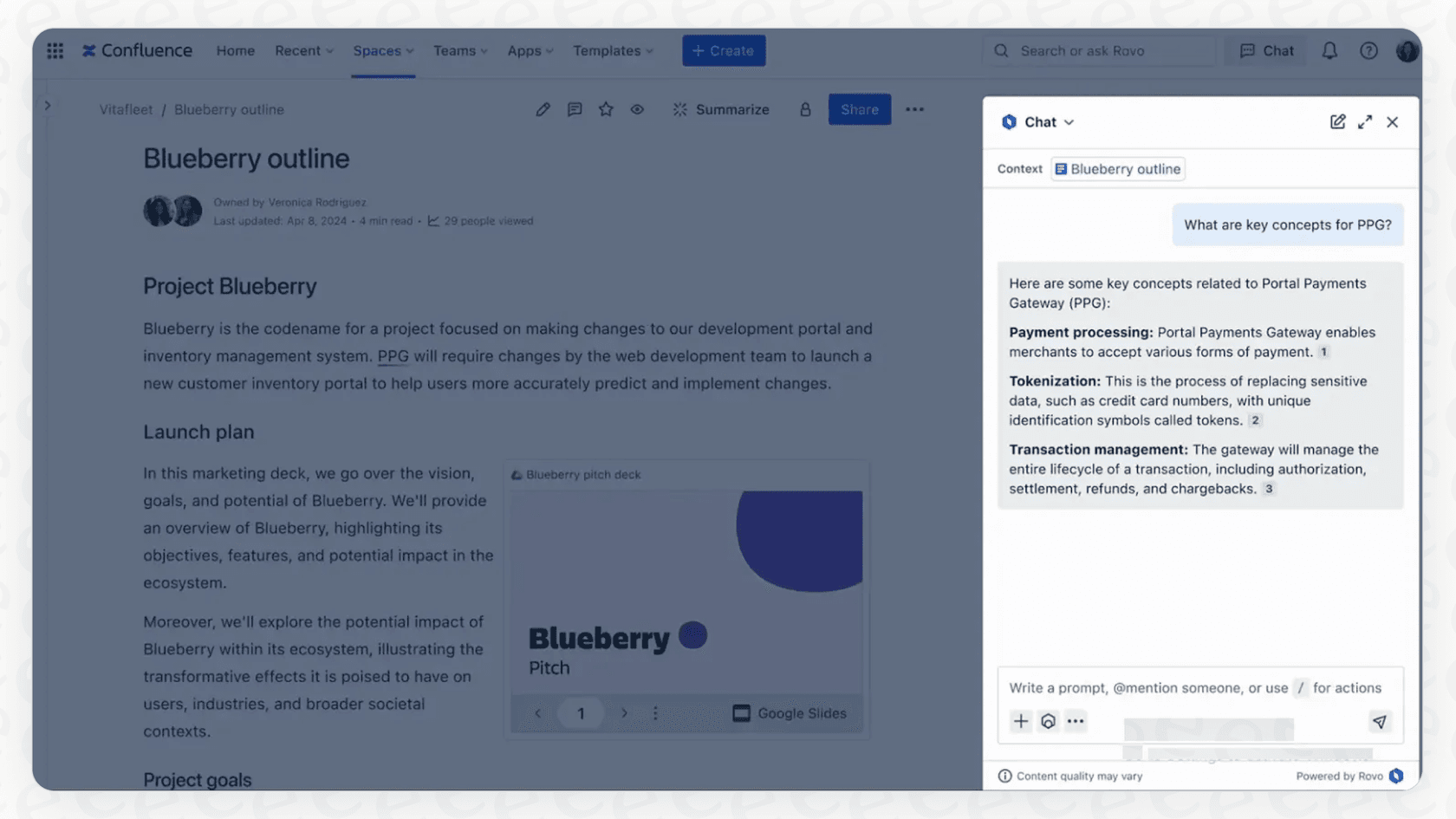
In plain English, Rovo is meant to do three main things:
-
Search: It gives you one search bar to look for information across all the tools you've hooked up.
-
Chat: It has a conversational AI you can ask questions to, and it'll pull answers from your company's documents and data.
-
Agents: It comes with AI assistants that can help with routine tasks, like summarizing support tickets or drafting meeting notes.
But here’s the thing: every search, every answer, and every task Rovo performs is only as good as the data it can access. And that brings us to the Rovo connectors. They’re the foundation for everything.
The fundamentals of Rovo Connector Management
Rovo Connector Management is just the official term for setting up, managing, and keeping an eye on the integrations that pull data from other apps into Rovo. Think of them as the bridges that let Rovo read the information stored in tools like Google Drive, Slack, and Zendesk. Without them, Rovo is an empty box.
The two types of connectors in Rovo
According to Atlassian's own documentation, connectors are now called Teamwork Graph connectors, and there are three types. It is pretty important to know the difference between them.
-
Synced connectors: These are the big ones. An organization admin sets them up to sync a workspace's content, which gives the highest quality for search and chat (while still respecting who has permission to see what).
-
Direct connectors: Content is retrieved live through the provider's search APIs, and Atlassian does not store or index it.
-
Smart Link connectors: These are much lighter. They need no admin and use Smart Link data to show results based on an individual user's permissions and history. They are handy for pulling up a specific document in search, but they don't sync a whole app into the knowledge base.
The Rovo connector setup process
Setting up those main, admin-managed connectors isn't a DIY job. It has to be done by an organization admin in admin.atlassian.com, which usually means filing a ticket with your IT department.
The process involves an admin choosing the app, authorizing it, and then each user connecting their own account so they only see data they have permission to access. It’s also worth knowing that on each site, most apps can be connected to only one workspace. For example, you can connect your main company Google Drive, but you can't add a separate one for just the marketing team. Only the Custom website and Jira Data Center connectors can be set up multiple times on a site. Admins can see whether each connector is syncing, disconnecting, or needs attention from a status icon.
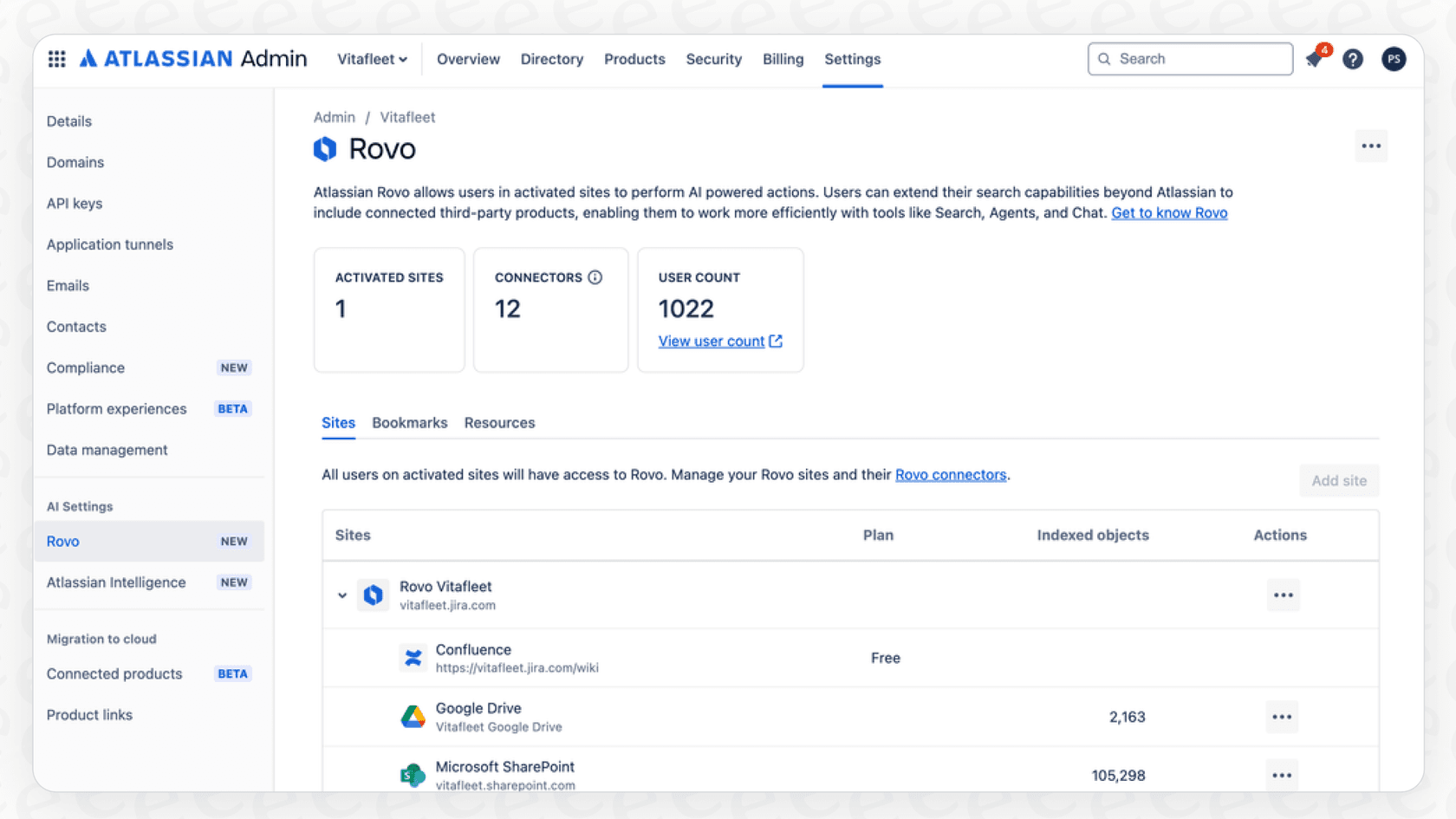
What can you connect with Rovo?
An AI knowledge tool is only as useful as the information it can access. Rovo’s value really depends on the number and quality of its integrations. If your most critical info lives in an app that Rovo can't talk to, you're going to have a major blind spot.
Atlassian’s connectors catalog lists around 60 connectors for the big SaaS tools, a few of them as Smart Link only.
-
Knowledge & Documents: Confluence Data Center, Google Drive, SharePoint, Notion, Box, and Dropbox.
-
Help desks and CRM: Zendesk, ServiceNow, and Salesforce.
-
Collaboration: Slack and Microsoft Teams.
-
Project management and dev: Asana, Monday, Airtable, GitHub, and GitLab.
There’s also a "Custom website" connector for indexing public websites or internal pages, and Gmail and Outlook mail connectors. It’s a broad list, but it still raises a question: what do you do when a tool your team actually depends on isn't on it?
Challenges and limitations of Rovo Connector Management
While Atlassian paints a great picture of Rovo, the reality of its connector-based system comes with some practical headaches that can really slow things down.
Complicated and admin-dependent setup
The biggest hurdle is that the full-quality connectors rely on an organization admin to set up every connection. If your support team wants to connect your help center, or the marketing team wants to add a new project management tool, they can't just do it. They have to file a ticket and wait (Smart Link connectors are the exception).
This creates a bottleneck that feels pretty outdated. Most teams today are used to picking up and configuring their own tools on the fly. An admin-only system feels slow and rigid, and it stops teams from quickly adding new knowledge sources as they pop up.
A fixed catalog of integrations
The "one connector per app per site" model doesn't leave much room for flexibility. What happens if your sales team uses a CRM that isn't in Atlassian's catalog? Or if your engineers use a custom-built wiki for all their documentation? The Custom website connector can index a public or internal web page, but anything else needs an Atlassian-built connector.
This can create gaps in your knowledge base. If the AI can't see information from all your important systems, its answers will be incomplete. Truly unifying your knowledge means connecting all of it, not just the easy parts.
Permissions and coverage vary by connector
Atlassian's connectors respect the permissions set in each third-party app, and users connect their own accounts so they only see what they could already see. The trade-off is that coverage depends on the connector type: Smart Link connectors surface results by a user's own history rather than indexing everything, and Direct connectors rely on the provider's search APIs. Check which type each of your apps uses before you count on it for support answers.
If your team lives in Zendesk or Confluence, a synced connector is the one to ask for. Before you commit to a platform that's supposed to be the brain of your company, check the connector guide for each app you rely on.
eesel AI: A simpler, more powerful alternative for knowledge integration
A modern AI platform shouldn't make you wait for an admin or restrict you to a short list of tools. It should be flexible, easy enough for anyone to use, and able to connect to your knowledge no matter where it is. That's exactly why we built eesel AI.
eesel AI is designed to solve the same problem as Rovo, unifying scattered knowledge, but we do it in a way that gives control back to the teams who actually need the answers.
Go live in minutes, not months
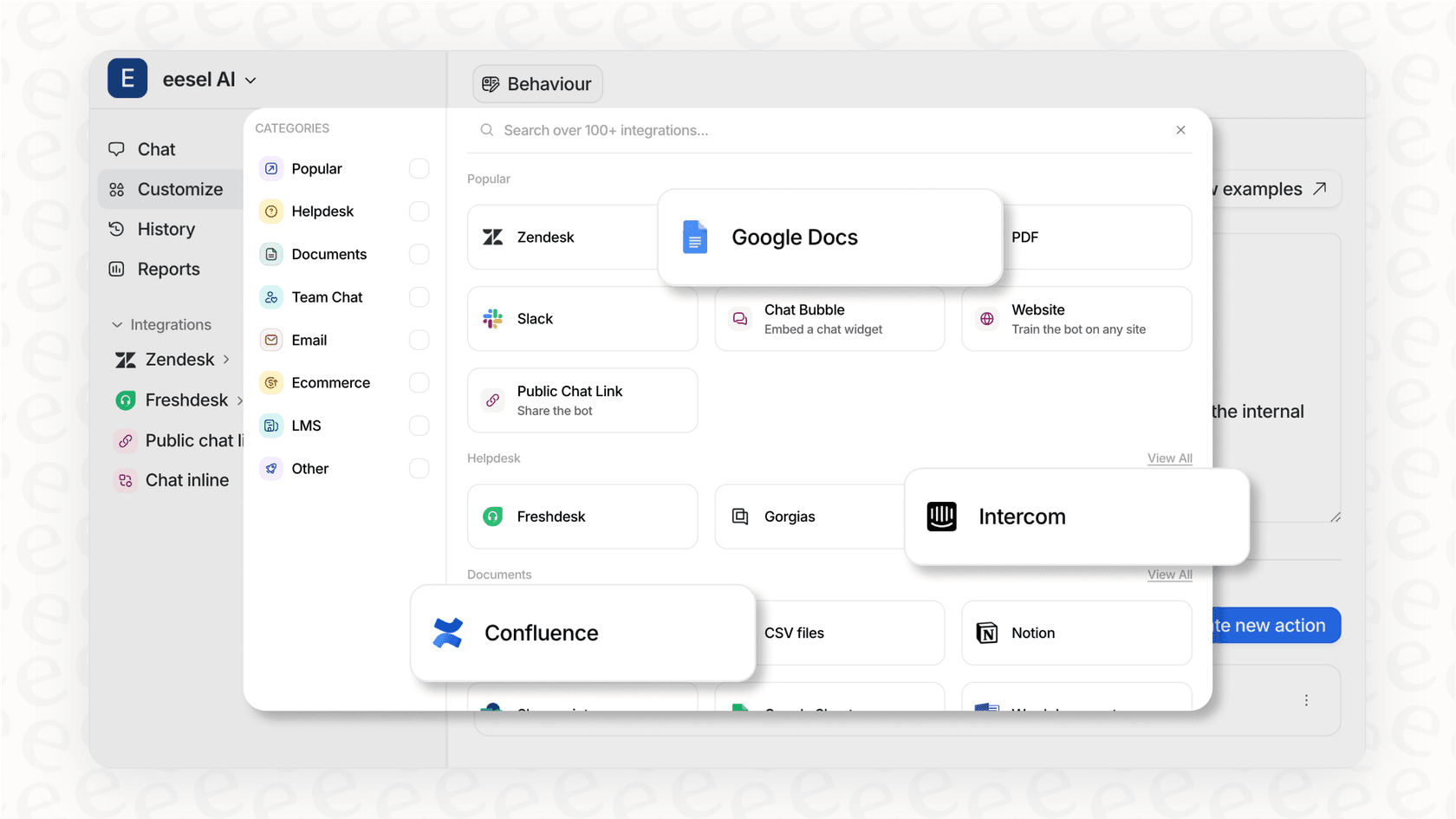
We built eesel AI to be incredibly easy to set up yourself. You can sign up, connect your help desk, and start training your AI in a few minutes, all without talking to a salesperson or waiting for IT. Our one-click integrations for platforms like Zendesk, Freshdesk, and Intercom fit right into the tools you already use. There's no complicated setup or need to change how you work.
Unify all your knowledge, instantly
eesel AI isn't limited to a fixed list of connectors. It can securely and automatically learn from your team's past support tickets picking up on your brand voice, tone, and common answers from day one. It also connects to all the places your team keeps documentation, like Confluence, Notion, Google Docs, and even PDFs. This gives your AI the full picture it needs to provide fast, accurate, and helpful answers.
Test with confidence and roll out gradually
One of the scariest parts of using a new AI tool is trusting it to do the right thing. That's why eesel AI comes with a powerful simulation mode. Before the AI ever talks to a real customer, the simulation skill tests it against hundreds of your past tickets in a safe environment. You can see how it would have replied, get each answer scored, and apply suggested fixes to your instructions. This risk-free approach lets you tweak your setup, figure out which tickets are best for automation, and roll out new features as you get more comfortable.
Rovo pricing: what connectors cost you
Connectors are not sold as a separate product. Atlassian's Rovo pricing page says Rovo is available on Standard, Premium, and Enterprise Cloud plans of Jira, Confluence, and Jira Service Management, and it is switched on automatically. Usage is metered in Rovo credits, separate from the seat price: per user per month, Jira and Confluence plans include 25, 70, or 150 credits (Standard, Premium, Enterprise), and the Service and Teamwork Collections include 250, 700, or 1,500. Atlassian's usage doc says storing indexed objects from connectors does not burn credits, but a basic Chat message costs 10.
The credits pool across the organization, reset monthly, and do not roll over, and Atlassian's pricing page notes that extra usage is on by default. That is public and easy to look up, though the total depends on how many people chat and how many agents run.
In contrast, eesel AI keeps it to one fixed monthly price: 100 free credits with no card, then from $299/month for 500 credits (1 credit is one ticket or chat), with every integration included and no per-seat fee. You can cancel any time.
Is Rovo Connector Management the right approach for your team?
Atlassian Rovo has an ambitious vision for unifying knowledge, and it might be tempting for teams already using a lot of Atlassian products. However, its dependence on a rigid, admin-controlled Rovo Connector Management system creates delays and limits you to a pre-approved list of apps.
For teams that need to move quickly and connect all their different tools, a more flexible, self-serve platform is a much better fit.
An AI knowledge platform should empower your team, not create more bureaucracy. With the ability to connect to any source, simulate performance before you go live, and get you up and running in minutes, eesel AI puts the power of AI right where it belongs: in your hands. It’s about getting results today, not after a long and complicated implementation project.
Ready to bring your team's knowledge together without the complexity? Try eesel with 100 free credits, no card needed.
Frequently asked questions
What is Rovo Connector Management, really?
Rovo Connector Management refers to the process of setting up, overseeing, and maintaining the integrations that feed data from various applications into Atlassian's Rovo AI platform. These connectors are crucial as they form the foundation for Rovo's ability to search, chat, and power AI agents across your company's dispersed knowledge. Without them, Rovo cannot access or utilize your organizational data.
How do the three types of connectors under Rovo Connector Management differ from each other?
Atlassian now calls them Teamwork Graph connectors and lists three types. Synced connectors are set up by an organization admin to sync a workspace's content for the highest-quality search and chat. Direct connectors fetch content live through the provider's search APIs and Atlassian does not store or index it. Smart Link connectors need no admin and show results based on each user's permissions and history.
What is the typical setup process for Rovo Connector Management, and who usually handles it?
Setting up admin-managed connectors through Rovo Connector Management requires an organization admin. The process typically involves activating Rovo, verifying permissions, and then individually authorizing each app connection. This often means teams need to file an IT ticket and wait for central administration to implement the integration.
Are there any major limitations on what apps or data sources can be integrated via Rovo Connector Management?
Yes, in the sense that Atlassian maintains a list of around 60 connectors, so a tool that isn't on it is only reachable through the Custom website connector or Smart Links. Gaps in that list become gaps in what Rovo can answer. Furthermore, on each site most apps can be connected to only one workspace.
What challenges might a smaller team face when trying to implement Rovo Connector Management for new tools?
Smaller teams often encounter a bottleneck with Rovo Connector Management because individual teams cannot independently add new knowledge sources. Every new connection requires an admin to set it up, leading to delays and reducing the agility teams usually expect for configuring their own tools. This reliance on central IT can hinder quick adoption and expansion of Rovo's capabilities.
How is Rovo Connector Management priced?
Connectors are not sold separately. Atlassian's Rovo pricing page says Rovo is available on Standard, Premium and Enterprise Cloud plans, and usage is metered in credits (25, 70, or 150 per user per month on Jira and Confluence). Storing indexed objects from connectors does not consume credits, though a per-user indexed-object allowance applies.