


What this review evaluates
Zendesk's current AI-agent overview is the right place to verify what your account can use. Availability changes by product and plan, so I would treat marketing pages and older comparisons as context, not configuration instructions.
For a real review, I would ask a support lead to name one job: for example, identify a delivery-status request, use the approved source, collect a missing order number, and hand the ticket to the right team when the policy requires it. That makes the evaluation concrete.
| Review area | What to verify | Failure to look for |
|---|---|---|
| Knowledge | Which help-center content is approved and current | A fluent answer from a stale or irrelevant article |
| Procedures | The allowed steps and their exit conditions | Continuing a workflow after an exception appears |
| Channels | Where the agent may reply | A policy designed for messaging applied to email |
| Handoff | Who receives the ticket and what context travels with it | A transfer with no reason or customer history |
| Actions | What can read data versus change it | An irreversible action without review |
Settings are operating controls, not polish
Zendesk separates the controls it documents in its general settings and advanced settings guidance. Do not turn an old settings list into a rollout checklist: the page and controls available depend on the agent experience and account.
The practical review is still concrete. Confirm the agent and customer-facing names, intended channel, sources, procedures, escalation rule, and any connection or embedding boundary in the relevant Zendesk settings page. Record why a boundary exists and who owns it. A good configuration lets the next operator understand both the boundary and the reason for it.
Test the answer and the path to it
Use a compact test pack: routine questions, questions with missing documentation, contradictory policies, vague customer wording, and a request that would lead to an action. A happy-path answer proves only that one path worked.
The reviewer should record the response, the source or procedure used, whether the handoff happened at the right point, and whether the human received enough context. Test in the channel you plan to activate, then check the relevant Zendesk settings documentation before treating that result as rollout proof.
Use the same workspace from the dashboard or terminal
The eesel CLI is a second way into the same teammate and workspace as the dashboard, not a separate bot. With Node.js 18.17+ you can run it through npx @eesel/cli; a support lead, a script, Claude Code, Codex, or Cursor can read the JSON it returns.
For this review, I would have a teammate inspect the source behind one failed test answer, then compare it with standing instructions and the relevant activity:
npx @eesel/cli integrations --agent "Zendesk support"
npx @eesel/cli integrations download list --agent "Zendesk support"
npx @eesel/cli instructions --agent "Zendesk support"
npx @eesel/cli activity --agent "Zendesk support"
That turns “the test failed” into an auditable question: was the source absent, the instruction unclear, or the run behaving unexpectedly? The support owner approves any change. Before an approved write, a script or coding agent can use --dry-run to print the server call without sending it; after the test, the owner reviews the result in the dashboard or CLI.
For example, ask Codex: “Find why our eesel teammate gave an outdated warranty period. Compare the downloaded warranty source with its instructions, and propose a correction without applying it.” If the owner approves replacing an outdated document, the coding agent can help upload the approved file using files upload, then send a fresh warranty question through chat. Confirm the answer uses the new policy and still escalates unsupported exceptions. Review connected actions before testing: a chat request is not automatically an isolated simulation, and a held-approval list does not cover every possible action. These are eesel operations, not commands to change Zendesk's native AI-agent settings.
Verdict
Zendesk AI Agent Advanced can suit teams whose support work needs controlled procedures and a clear operational owner. It is a poor fit for a team that has not agreed on source ownership, exception handling, or action boundaries yet. Start narrow, test the awkward cases, and expand only when the results are inspectable.
Get a Zendesk teammate you can inspect
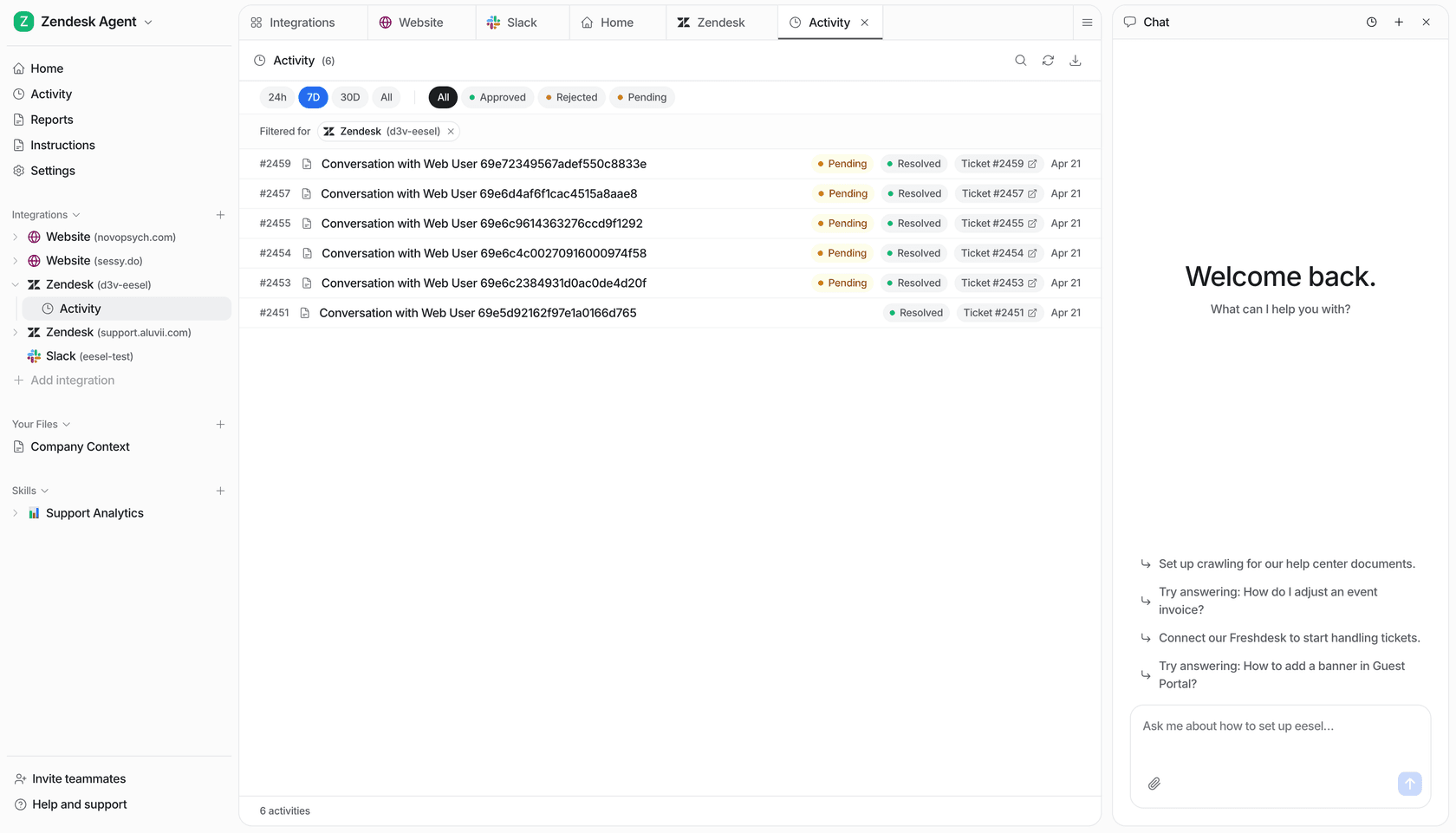
eesel's Activity view lists Zendesk conversations with status filters and a teammate chat panel.
eesel works in the Zendesk workflow your team already uses. Connect a helpdesk teammate, inspect its sources and instructions, test a real support case, and let the support owner approve the next scope. Try eesel.
Frequently asked questions
What is Zendesk AI Agent Advanced?
Advanced was a Zendesk AI-agent tier. Zendesk removed the Essential/Advanced packaging distinction in its May–June 2026 rollout, expanding access to the formerly Advanced capabilities. Evaluate the current AI-agent experience rather than treating Advanced as a separate new purchase.
Can Zendesk AI Agent Advanced use procedures?
Yes. The current agentic experience uses generative procedures to guide multi-step work. Scripted dialogues remain available for supported uses. Test the procedure in its intended channel and define where it must escalate.
What should I test before rollout?
Test correct answers, missing knowledge, exceptions, ambiguous requests, handoffs, and any action that changes customer data.
Where are advanced AI agent settings?
Zendesk documents the route and access requirements in its settings guide.