
What to learn first
In the Zendesk training portal, search for AI. Zendesk's resource directory names Introduction to AI Agents and Configure, test, and optimize AI agents (Level 3) as starting points. Use the introductory material to learn the product, then the configuration material to prepare your implementation. Your agent still needs your current policy, terminology, escalation rules, and action boundaries.
Zendesk's training guidance recommends current help-center content, instructions for specific requests, and review of unresolved conversations and question-resolution rates.
Set up the current product before optimizing it
Use Zendesk's current AI-agent setup guide, not an old Advanced tutorial. In the dashboard, choose Create AI agent, select Messaging or Email, then select the brand and knowledge base. Add a website crawler only if the pages are current and appropriate to use as knowledge. Configure personalization and system replies, then choose Save and close to continue later or proceed to activation when the review is complete.
This is deliberately a channel-specific setup. Zendesk's migration documentation says the new experience has separate agents for messaging and email. Do not recreate an Essential-era, multi-channel configuration from an old course. Zendesk also notes that the prior setup flow was only for customers who had purchased Advanced before March 10, 2026; it is not a general setup path for a new implementation.
Courses teach the product; your sources teach the agent
The phrase “training center” can describe two different jobs. Zendesk's training resources and Training Portal help an administrator learn the product: where to create an agent, how to use the workspace, and how to configure and optimize it. That is useful preparation, but completing a course does not make an agent know your refund policy or support workflow.
Product knowledge comes from the sources, procedures, instructions, and actions you give the agent. Treat each source as production content. Assign an owner; remove contradictory, expired, or permission-sensitive material; and use a narrow set first. A polished but stale article is worse than a missing article because the agent can repeat it with confidence.
Set up one job with specific rules
Zendesk's current guidance points teams toward knowledge sources, instructions, and optimization after launch. Start with one job such as “answer delivery-window questions” rather than “handle shipping.” Write the rule in operational terms: which document controls the answer, what facts the agent may collect, what it must not promise, and when it must escalate.
For example, an instruction can say that the agent may explain published delivery windows, must not estimate an arrival date without an order lookup, and must transfer a customer asking about a missing package. Pair that with only the approved delivery-policy articles. If the job needs an external action, test the action's input, error response, and permission separately from the written answer.
Optimize from failures, not from vague targets
After publishing, use question-resolution data, unresolved conversations, searches, and sampled transcripts to find the failure. Then choose the smallest fix that matches the cause:
- Update a source when the policy is missing or wrong.
- Change an instruction when the rule or escalation boundary is unclear.
- Adjust a procedure or dialogue when the conversation needs ordered steps.
- Change an action or its permissions when the answer is right but the execution is unsafe or unreliable.
Retest the same case after the change, plus a nearby edge case. This preserves a useful record of what improved and catches fixes that solve one phrasing while breaking another. It is better evidence than treating a rising automation rate as proof of quality.
Turn approved knowledge into a reviewable test
The eesel CLI is an option when a content owner wants an engineer or coding agent to test the same teammate shown in the dashboard. Before upload, get approval for the document and inspect connected action permissions.
npx @eesel/cli integrations download list --agent zendesk-training
npx @eesel/cli files upload ./approved-shipping-policy.pdf --agent zendesk-training --dry-run
npx @eesel/cli files upload ./approved-shipping-policy.pdf --agent zendesk-training
npx @eesel/cli chat "What is the delivery window for international orders? Cite the policy." --agent zendesk-training
npx @eesel/cli activity --agent zendesk-training
Node.js 18.17 or later is required. Commands return JSON, so Claude Code, Codex, Cursor, or a script can record the document, response, and reviewer decision. This is not an isolated simulation: a real upload changes the same workspace, and approvals do not cover every action.
Have the coding agent check whether the response distinguishes dispatch time from delivery time and includes any documented destination exceptions. A citation alone is not a pass: open the cited policy. If it invents a deadline, correct the source or propose a specific instruction for approval, then repeat the original question and one nearby exception. That gives the content owner evidence of what changed without treating file upload as proof of learning.
The CLI and dashboard operate the same eesel teammate and workspace. A content owner can approve the file, an engineer can run the evidence collection, and the support lead can review the result in either place. That makes the terminal useful for a repeatable test, not a separate training environment.
Try a Zendesk AI teammate with your own knowledge
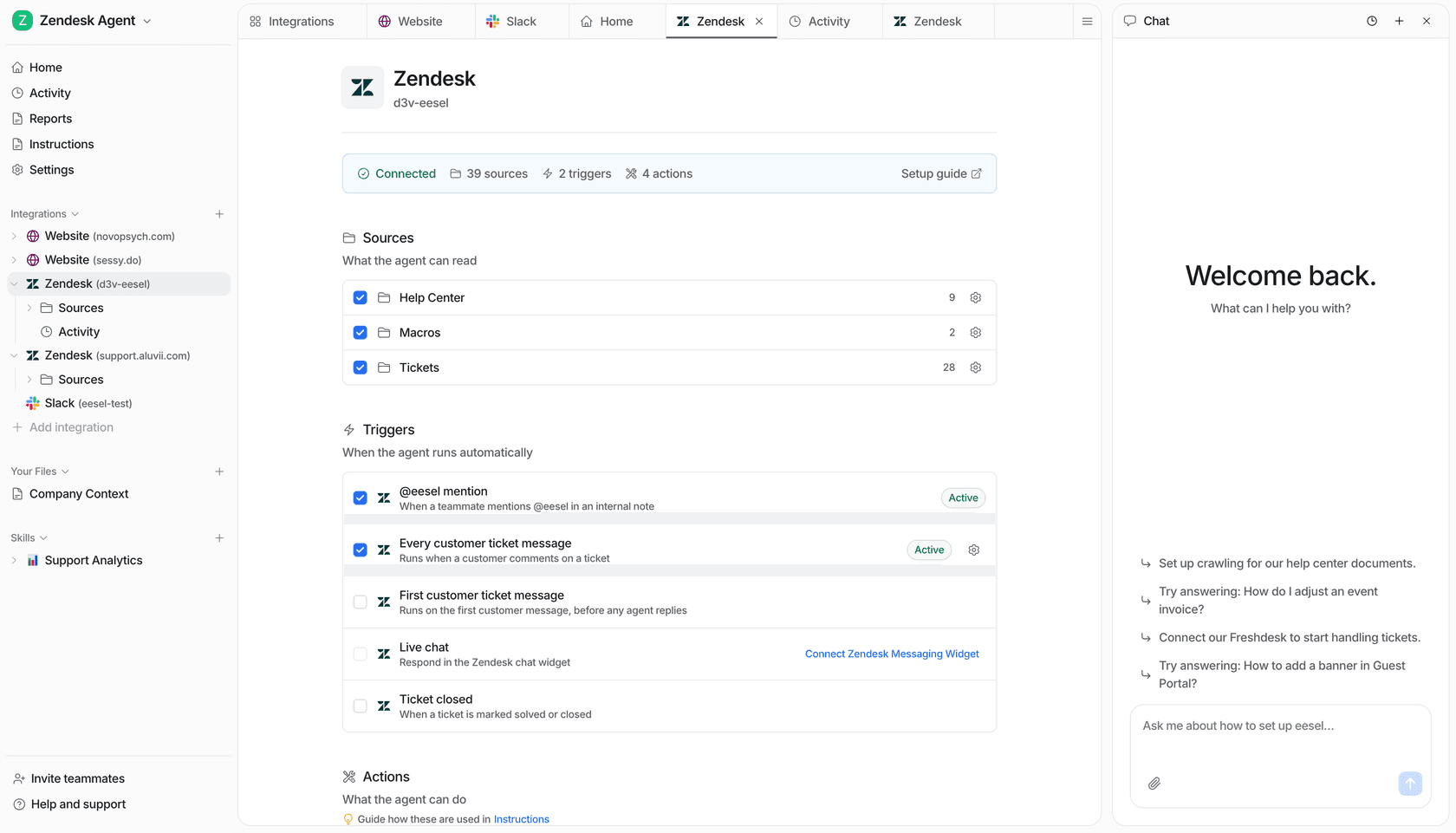
eesel can work alongside Zendesk as an AI helpdesk teammate. Start with a small source set and one support job, use the CLI through your terminal or coding agent to review the answer and activity, then expand only after the responsible person checks the result.
Frequently Asked Questions
Where are Zendesk AI agent training resources?
Zendesk directs users to its training portal, AI-agent getting-started material, and configuration and optimization resources in the Help Center.
Is Zendesk AI agent Essential training current?
No. Zendesk says Essential and related legacy functionality must migrate to the new AI agents experience.
What should I prepare before publishing an AI agent?
Prepare current knowledge, write specific instructions, define allowed actions and escalations, then test representative cases.
How do I improve a Zendesk AI agent?
Review unresolved conversations, question-resolution data, search terms, and conversation evidence, then update the relevant content or procedure.